
How to register for a Bangladesh Railway e‑ticket account
বাংলাদেশ রেলওয়ে ই টিকেট রেজিস্ট্রেশন করার নিয়ম
অনলাইনে ট্রেনের টিকেট কাটতে হলে প্রথমেই আপনাকে বাংলাদেশ রেলওয়ের পোর্টালে একটি একাউন্ট তৈরি বা রেজিস্ট্রেশন করতে হবে। রেজিস্ট্রেশন করার জন্য আপনার একটি সচল মোবাইল নাম্বার এবং আপনার জাতীয় পরিচয়পত্র (NID) থাকা বাধ্যতামূলক। নিচে ধাপে ধাপে রেজিস্ট্রেশন করার সম্পূর্ণ প্রক্রিয়া বিস্তারিত আলোচনা করা হলো।
Bangladesh Railway’s e‑ticket system lets passengers book and manage train journeys from their phone or computer. Registering for an online ticketing account unlocks features such as advance ticket booking, seat selection, and real‑time train updates.
Go to Official Registration PageStep‑by‑step registration | রেজিস্ট্রেশন প্রসেস
1. Visit the official e‑ticket portal (অফিসিয়াল সাইটে যান)
Open a web browser and go to the official eticket.railway.gov.bd portal. This is the only legitimate platform for creating a Bangladesh Railway account.
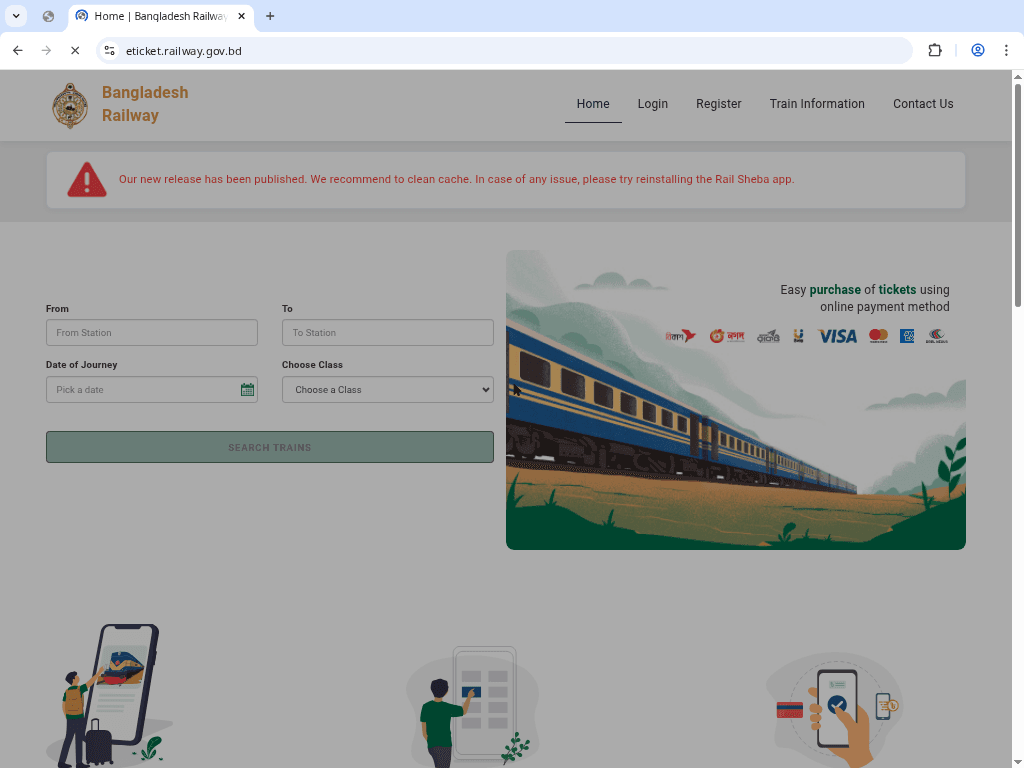
2. Accept the disclaimer (শর্তাবলী গ্রহণ করুন)
Read the notice and click “I AGREE.” Note that you must be a legitimate citizen of Bangladesh with valid identification to proceed.
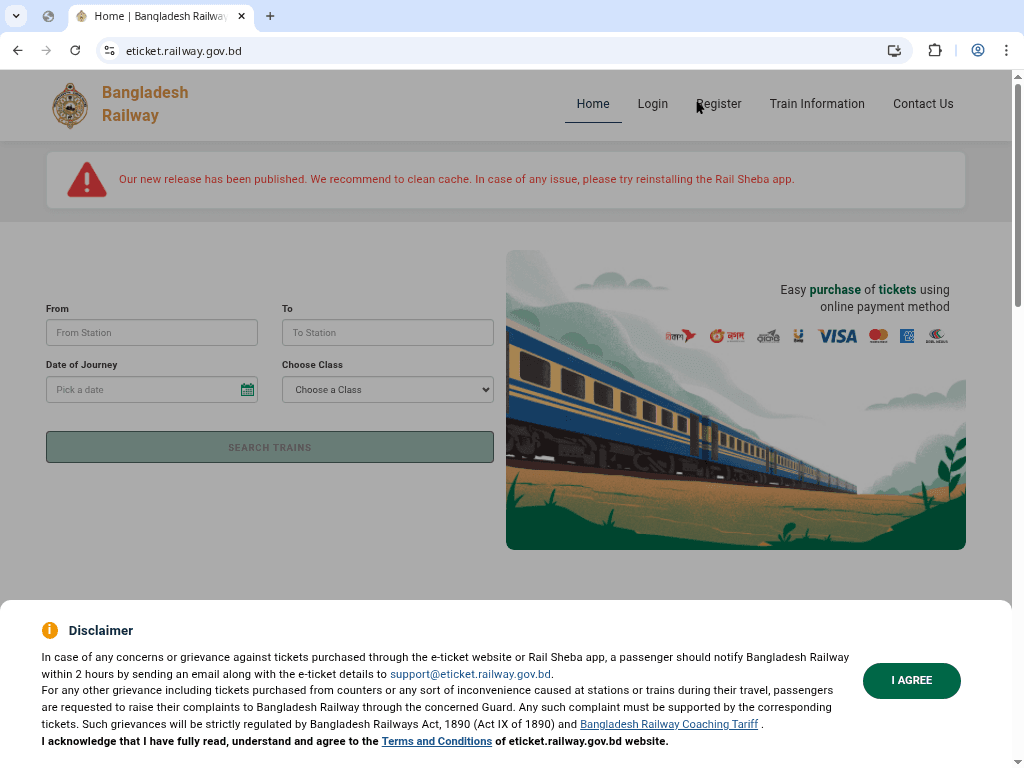
3. Enter Personal Information (তথ্য প্রদান করুন)
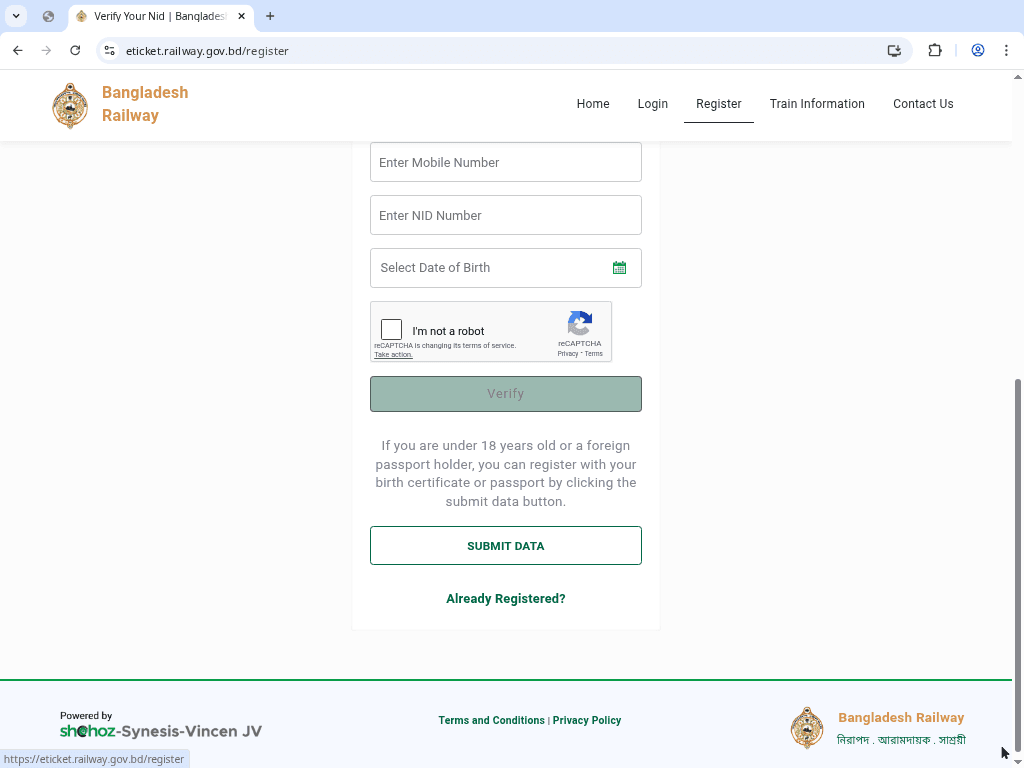
After clicking “Register”, enter your Mobile Number, NID Number, and Date of Birth as per your ID card. Select the verification type and click "Verify".
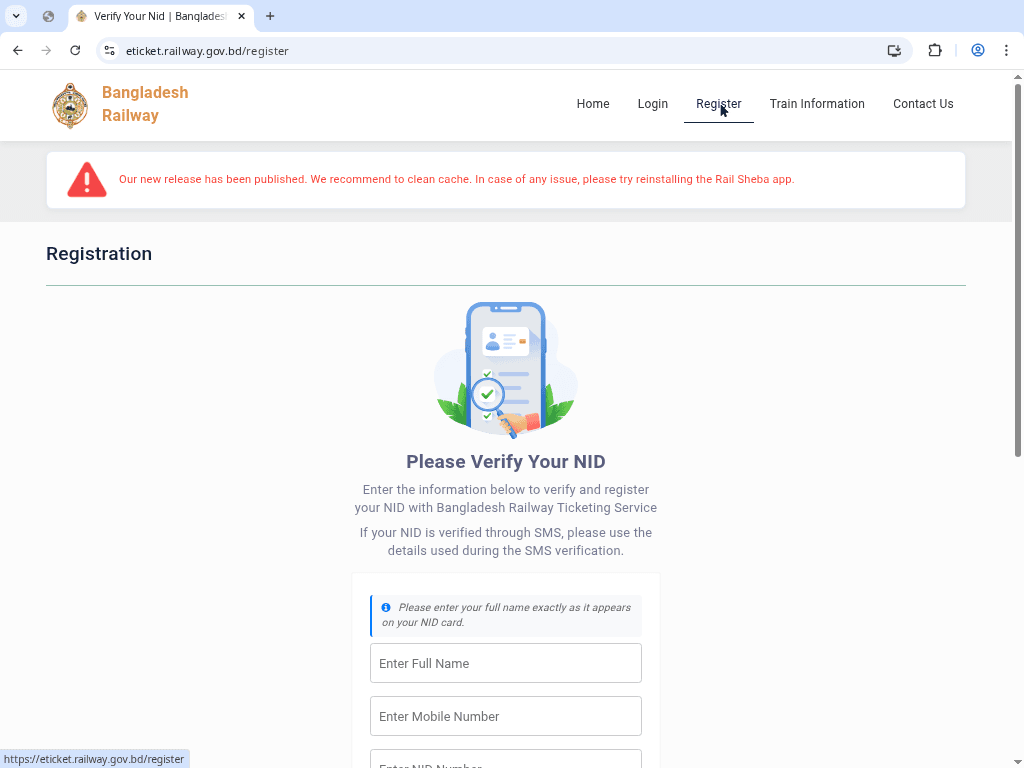
NID ভেরিফিকেশন করার সময় যা মনে রাখবেন
- আপনার NID নাম্বার এবং জন্ম তারিখ হুবহু পরিচয়পত্রের মত হতে হবে।
- একই NID ব্যবহার করে একাধিক একাউন্ট খোলা সম্ভব নয়।
- আপনার ডাটাবেস থেকে তথ্য অটোমেটিক ভেরিফাই করার জন্য সিস্টেম নির্বাচন করুন।
- জন্ম নিবন্ধন (Birth Certificate) ব্যবহার করার ক্ষেত্রে নির্দিষ্ট নির্দেশাবলী অনুসরণ করুন।
4. OTP Verification & Password (ওটিপি ও পাসওয়ার্ড সেট করুন)
The system will send a One‑Time Password (OTP) to your mobile. Enter the code and set a Strong Password. Finally, click "Registration" to finish.
Benefits of Having an E-Ticket Account
- Search & Book: Access seat maps for all intercity trains in real-time.
- Online Payment: Pay securely via bKash, Nagad, or Credit/Debit cards.
- Order History: Download or reprint your e-tickets anytime from your dashboard.
- Easy Refund: Submit refund requests online according to railway policy.
Conclusion | উপসংহার
Registering for a Bangladesh Railway e‑ticket account is the first step towards a digital and hassle-free journey. By having a verified account, you ensure a fair and secure booking experience. For help logging in after registration, see our login guide.